In your browser
Make yourself at home.
Use the Research desk to explore super and investment options, compare products side by side, and inspect the sources behind the figures.
- Product comparisons
- Source details
- Research exports
5,000+ verified super and investment options, performance data and sourced tax figures. Explore them in your browser or bring them into your AI assistant.
 Claude
 ChatGPT
 Cursor
 Gemini
Prefer a visual workspace? Discover the Research desk













Two ways to research
A dedicated workspace when you want to explore.
A connection to your AI when you want to ask.
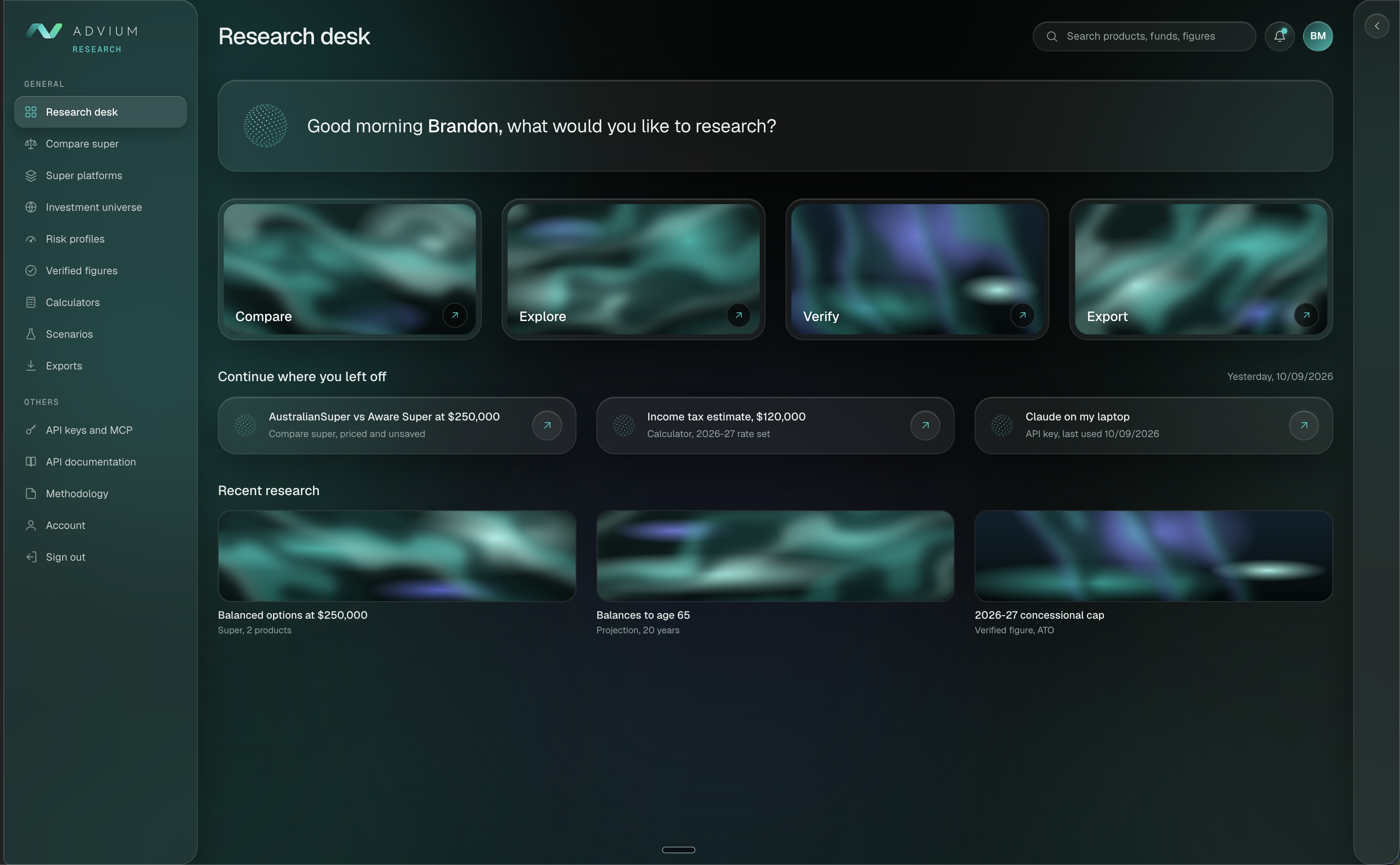
Use the Research desk to explore super and investment options, compare products side by side, and inspect the sources behind the figures.
Connect Advium Research through MCP, then ask your AI assistant to look up products, compare fees and retrieve sourced figures in the conversation you already use.
ClaudeChatGPTCursor+ compatible MCP clientsIssuer documents, regulator pages and published data sets are gathered at the source. Nothing is typed in from memory.
Each figure is stored with its unit, its source document, the page it came from and the date it was checked.
Fee records are checked against the issuer document within the last year, rates and caps are re-checked against the ATO and Services Australia pages on a schedule, and an independent referee inspects samples.
Only records that pass reach the service. Your AI receives the figure with its source trail, and anything still under review stays internal.
Advium Research brings verified data to your AI assistant or the Research desk. Figures you can stand behind, in every client document and strategy.
Every fee component checked against the issuer document within the last year.
Across 56 super funds.
Fees and asset allocation from the issuer's own disclosures.
Across 9 asset types and 149 issuers.
Quarterly net returns from December 2014 to March 2026.
Coverage across the super options in the service.
Contribution caps, tax scales, offsets and Age Pension tests, each checked against the ATO or Services Australia page.
0 changed at the last check.
Sourced super, investment and tax research you can explore in the Research desk or access through your AI assistant. Use the browser tools for visual comparisons, or connect through MCP and ask questions in your own words.
Claude, ChatGPT and Gemini where custom connectors are supported, Cursor, Grok and any other MCP client. Two connectors, Research and Knowledge, share one key.
Issuer documents such as the PDS, ATO and Services Australia pages, and published regulator data. Every figure carries its source and the date it was checked.
Fee records are checked against the issuer document within the last year. Rates and caps are re-checked against the live ATO and Services Australia pages on a schedule. An independent referee inspects samples. Only records that pass reach the service.
No. Advium Research provides research and sourced figures. Advice remains the adviser's own work and responsibility.
A free account includes 100 tool calls a month through your AI assistant and 30 comparisons a month on research.advium.ai. Prepaid packs for higher volumes are coming soon.
Comparisons can be exported to Excel, Word and PDF with every source and date included, and a locked scenario can be shared by read-only link.
The research tools take no client data. Questions are about products, funds and published figures, not about your clients.
Explore browser tools Connect your AI
100 free tool calls a month. 30 free comparisons a month on research.advium.ai.